On this page
- Step 1: pick your organisation type
- Step 2: tell us about your site
- Step 3: what is on site
- Step 4: your waste today
- Step 5: your paperwork
- Step 6: how you work today (optional)
- Step 7: where to send the report
- Reading your report
- What to do with the report
- The licensed plan
- What the check is not
- Common questions
- Run it now
The free compliance check tells an organisation which waste and compliance rules apply to it, what it already has in place and what is missing. It takes about five minutes, and you can see your gaps without signing up.
This page walks through every screen, in order, so you know what you will be asked before you start. The screens below are real: we ran the live check for a made-up housing society, Sample Heights RWA (320 flats, Bengaluru), using example contact details. It is not a real organisation. The questions differ a little by organisation type, because a hotel, a hospital and a petrol pump do not share a rule book, but the steps and the report layout are the same.
Step 1: pick your organisation type
Go to earthreheal.com/compliance and choose your type from the list. There are more than fifty, from housing societies, hotels, hospitals, schools and colleges to offices, malls, clinics, petrol pumps, factories, construction sites, scrap dealers and NGOs. Each type has its own page, for example housing societies (RWAs), with the rules that typically apply, and a Check your gaps button. The check itself lives at an address like /compliance/rwa/check.
Step 2: tell us about your site
The first screen asks where you are and how big the premises are. Location decides which State Pollution Control Board and groundwater authority apply. The size questions are the three tests for a bulk waste generator under the SWM Rules 2026, plus the number of flats or homes (for a housing society), and each shows the threshold on screen.
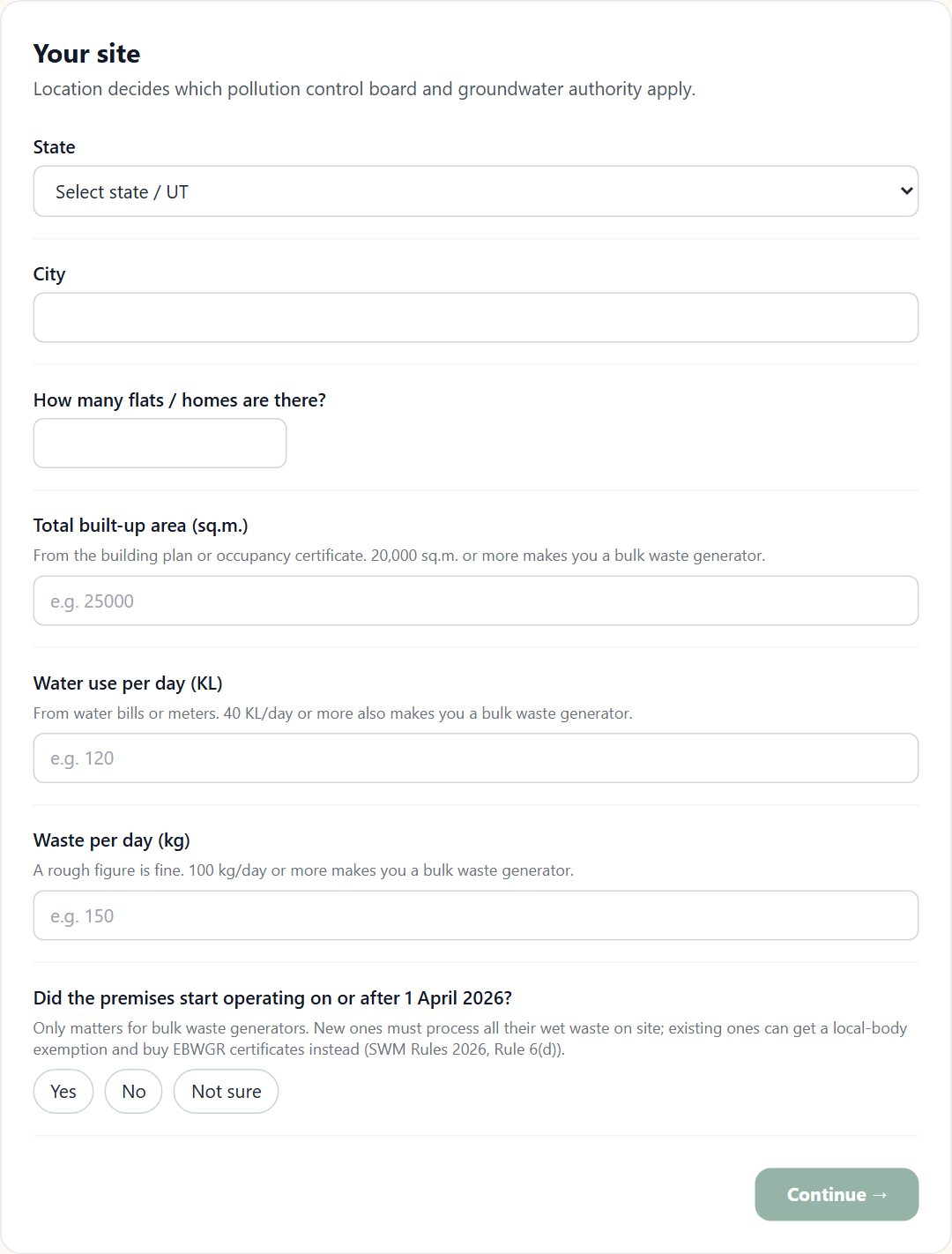
Here is the same screen filled in for Sample Heights RWA:
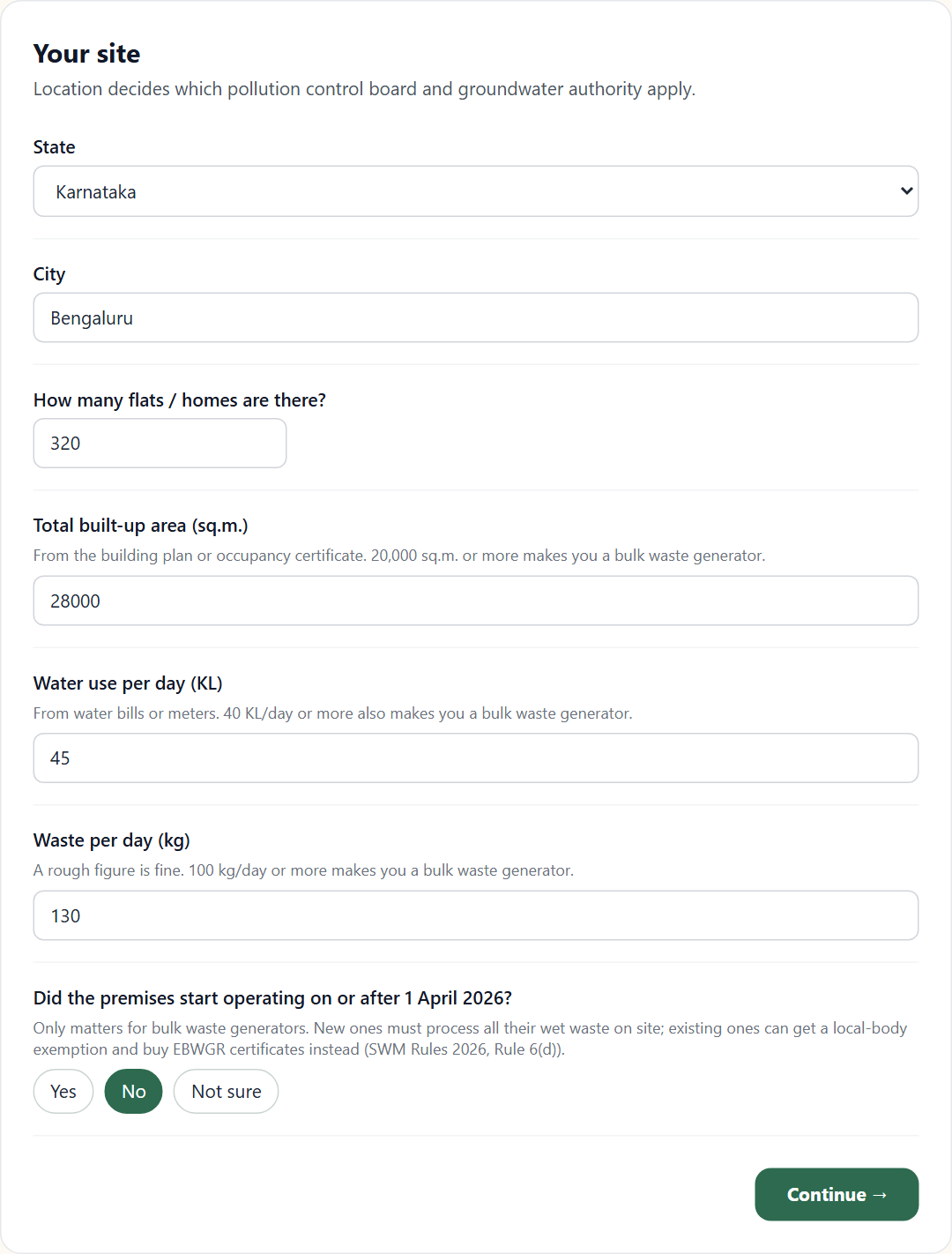
An organisation in a listed category is a bulk waste generator if it meets any one of three tests: a floor area of 20,000 sq.m. or more, water use of 40,000 litres (40 KL) a day, or waste of 100 kg a day. The number of flats, rooms or beds is not a test. The last question on this screen, whether the premises started operating on or after 1 April 2026, only matters for bulk waste generators: new ones must process all their wet waste on site, while existing ones can seek a local-body exemption and buy EBWGR certificates instead (Rule 6(d)).
Step 3: what is on site
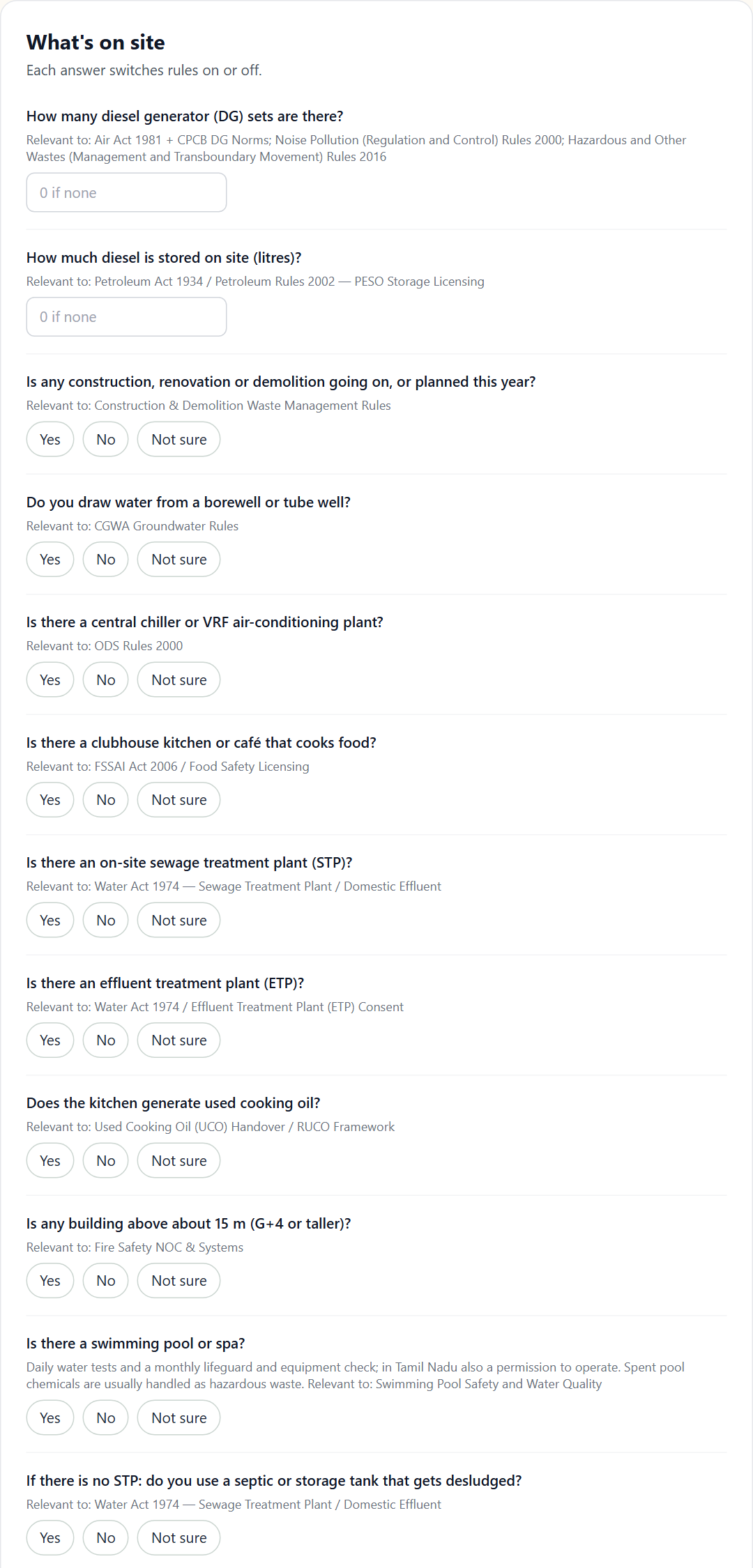
The second screen asks what you have: diesel generators, stored diesel, construction work, a borewell, central air-conditioning, a kitchen, a sewage treatment plant, and so on. The subtitle says "Each answer switches rules on or off", and under every question the screen names the rule it relates to, so you can see why you are being asked.
Answered for the sample society (two generators, 900 litres of diesel, a borewell, a clubhouse kitchen, a sewage treatment plant, a building taller than about 15 m):
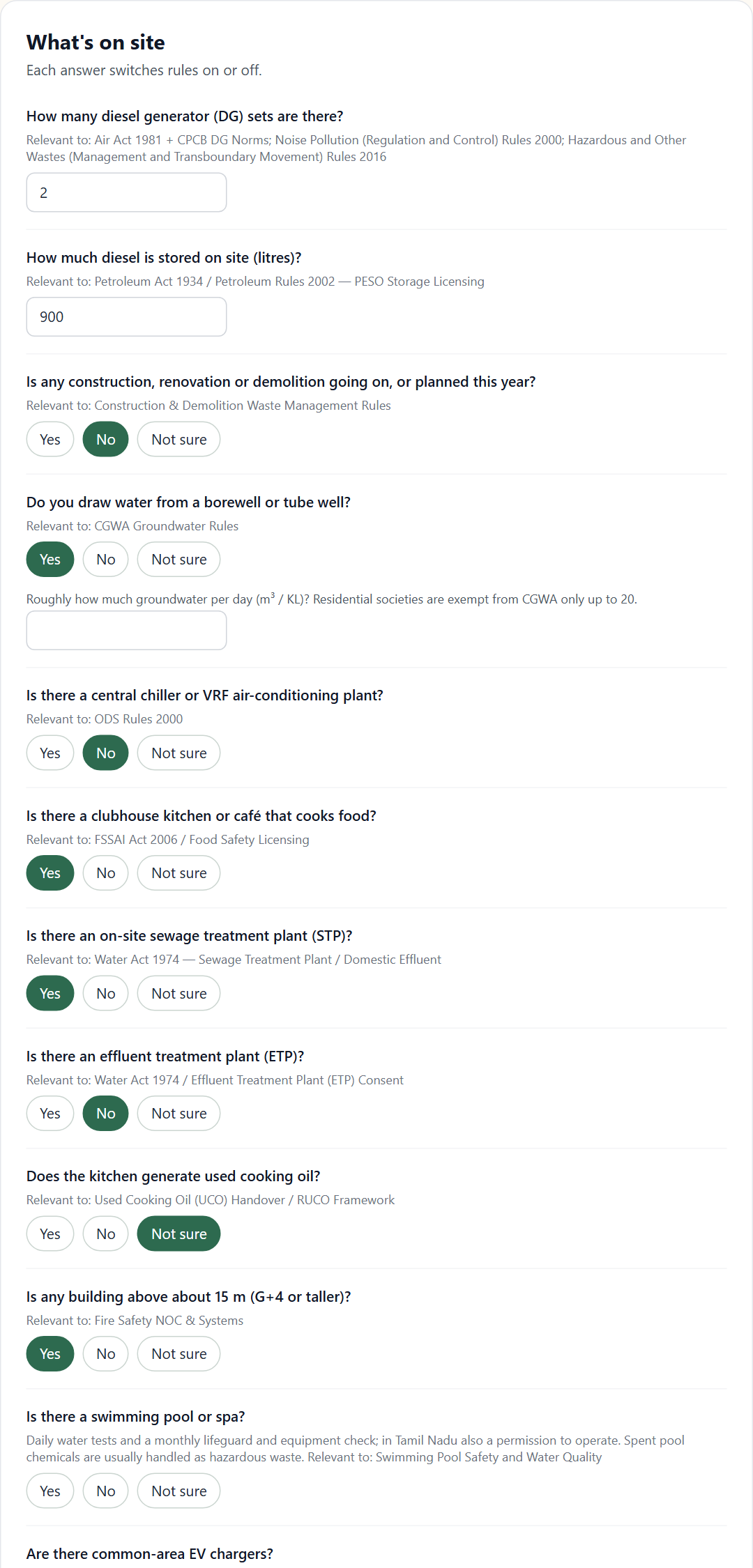
The list continues below what is shown here (swimming pool, EV chargers and a few more). Only questions that matter for your type appear.
Step 4: your waste today
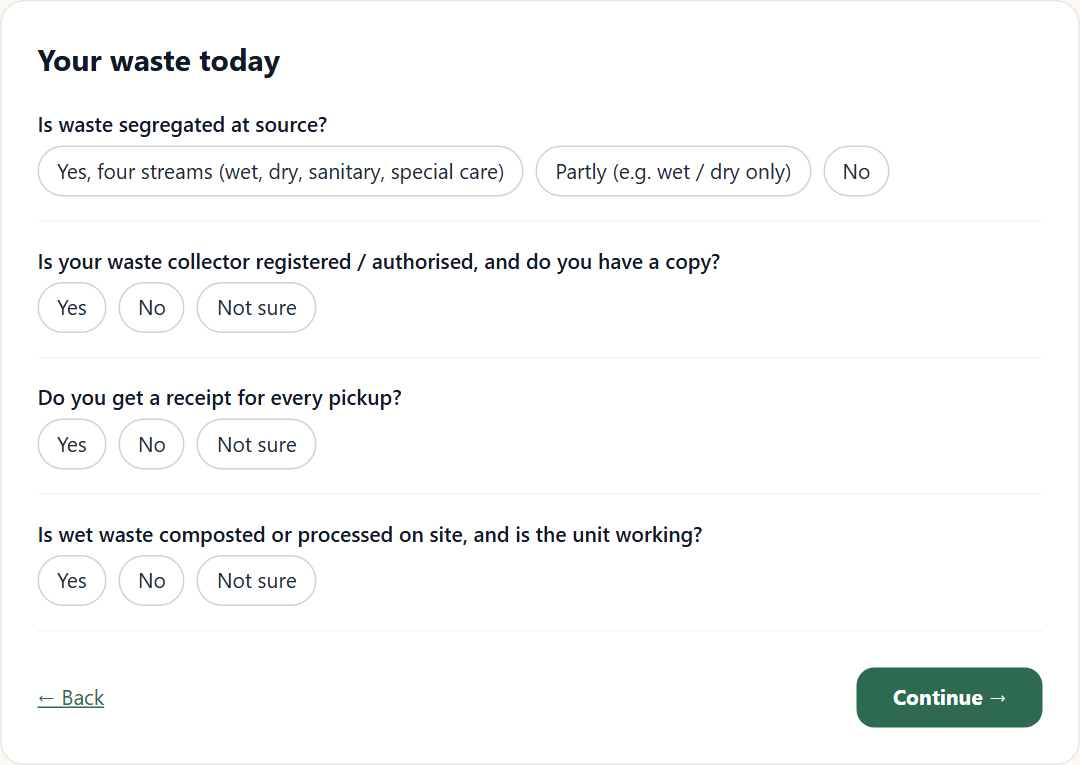
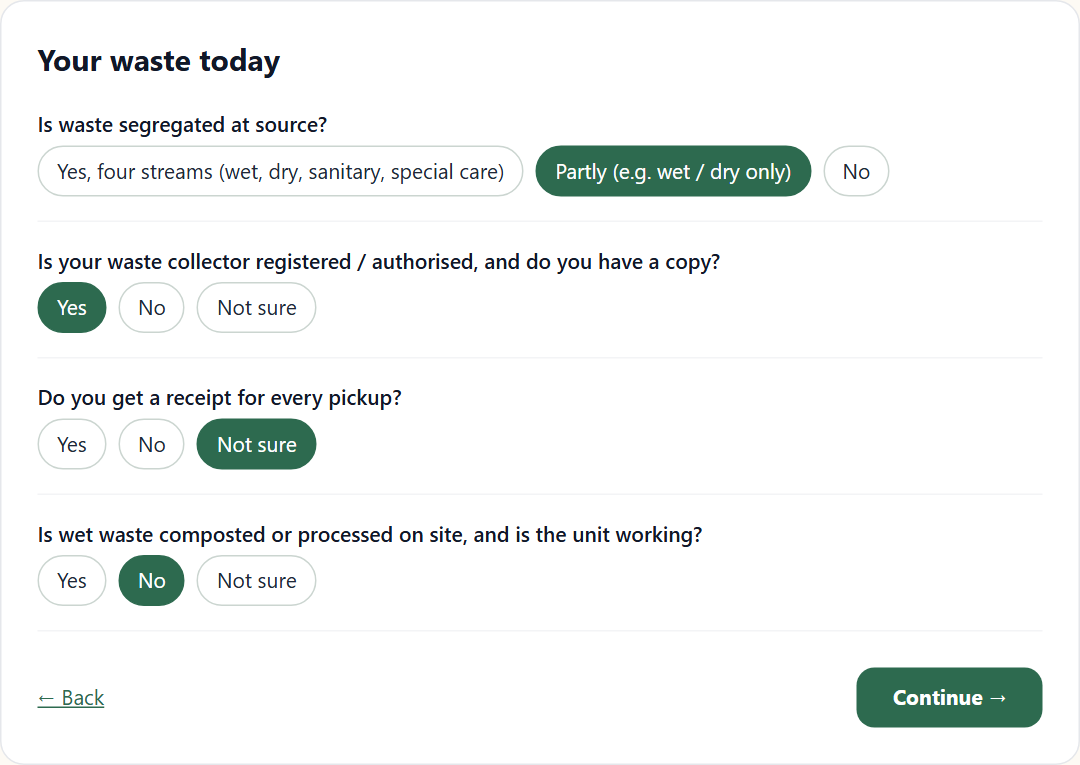
The third screen has four questions about how waste is handled now: whether it is segregated at source into four streams (wet, dry, sanitary and special care), whether your collector is registered or authorised and you hold a copy, whether you get a receipt for every pickup, and whether wet waste is processed on site.
Step 5: your paperwork
Based on your earlier answers, the next screen lists the licences, certificates and records that may apply to you. For each one you choose Have it, Don't have it or Not sure. The list is built from your answers, so it differs from one organisation to the next, and the lines for CPCB portal registration and EBWGR certificates are marked "bulk waste generators only".
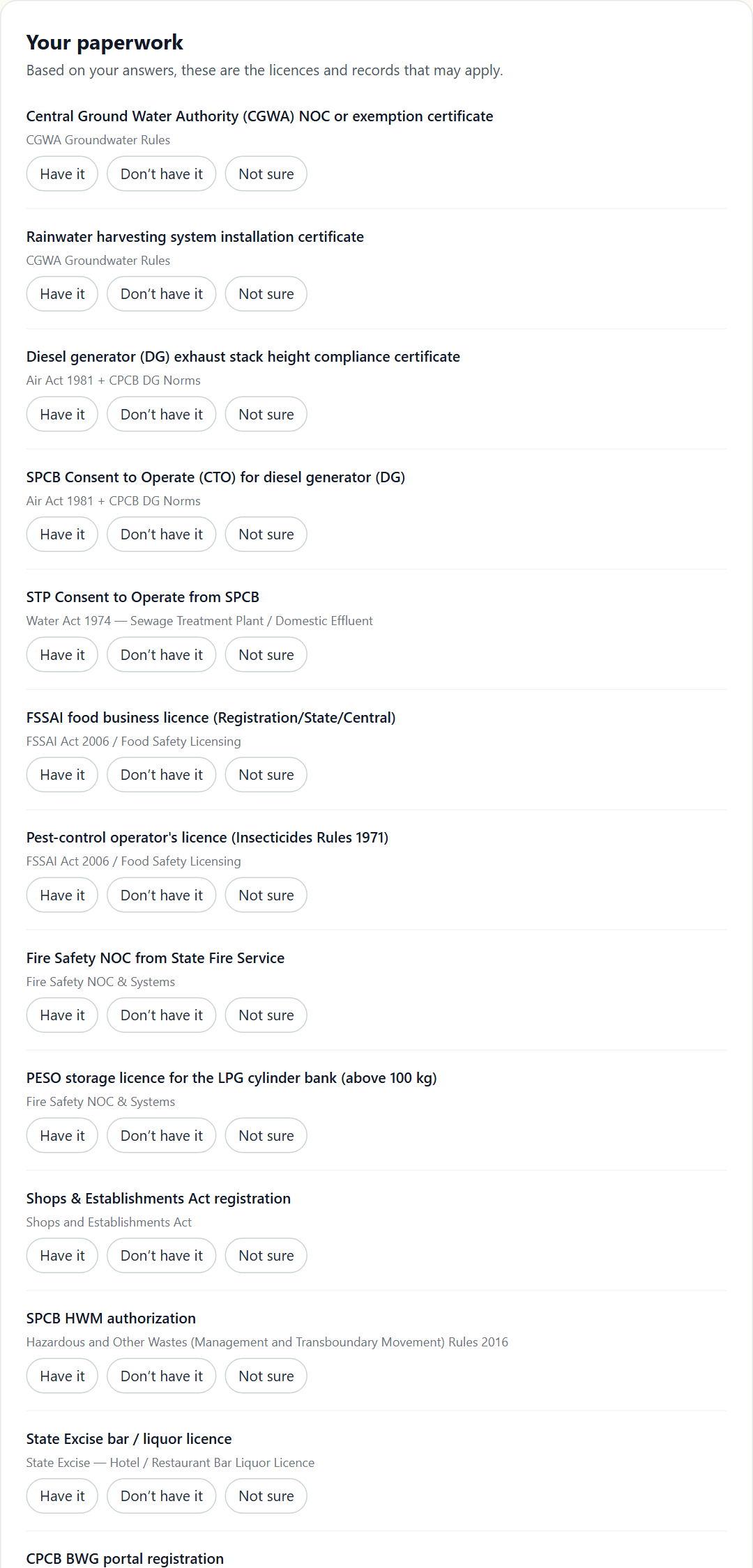
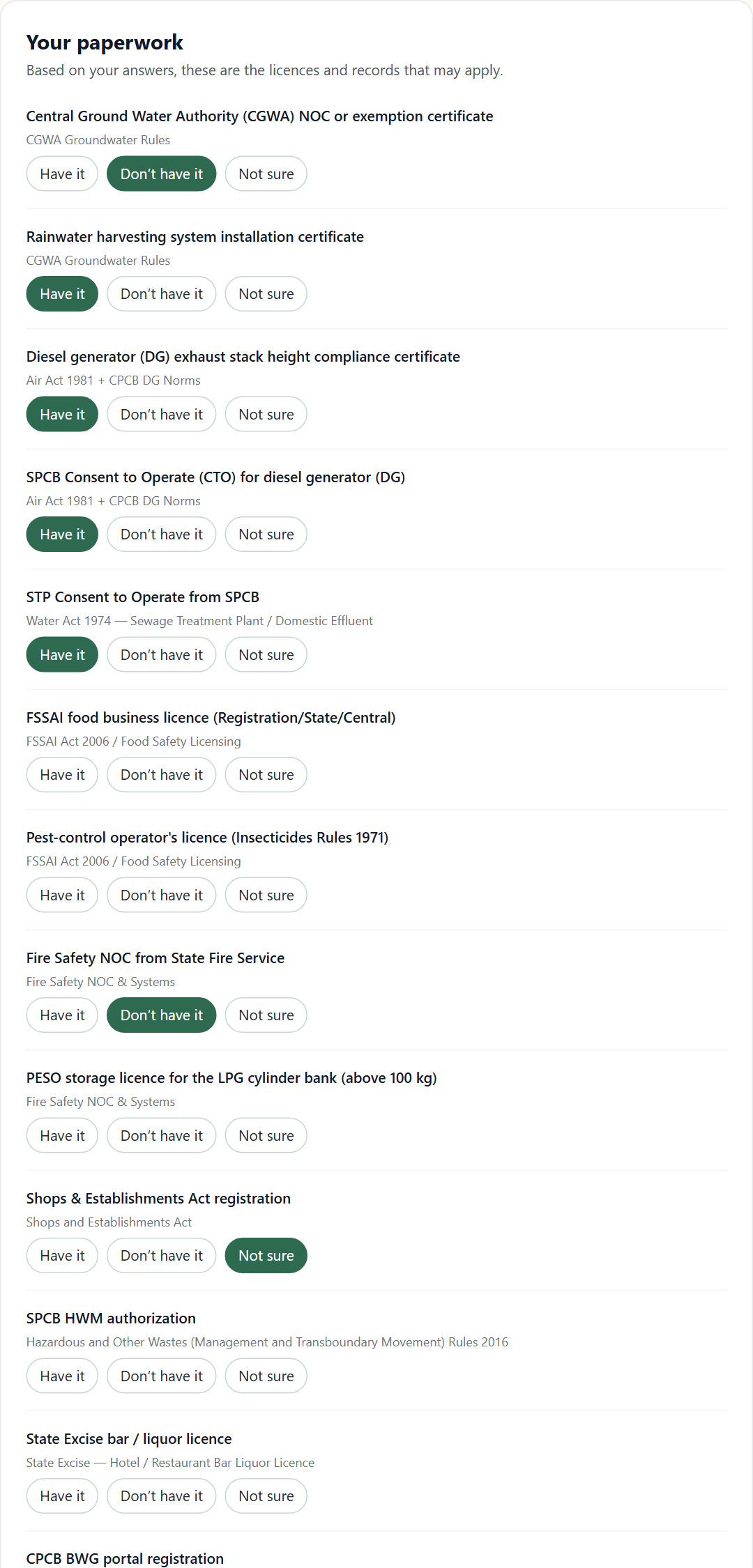
The full list is long, because many rules apply to a large premises. Answer what you know and leave the rest as "Not sure"; those come back in the report as things to confirm, not as failures.
Step 6: how you work today (optional)
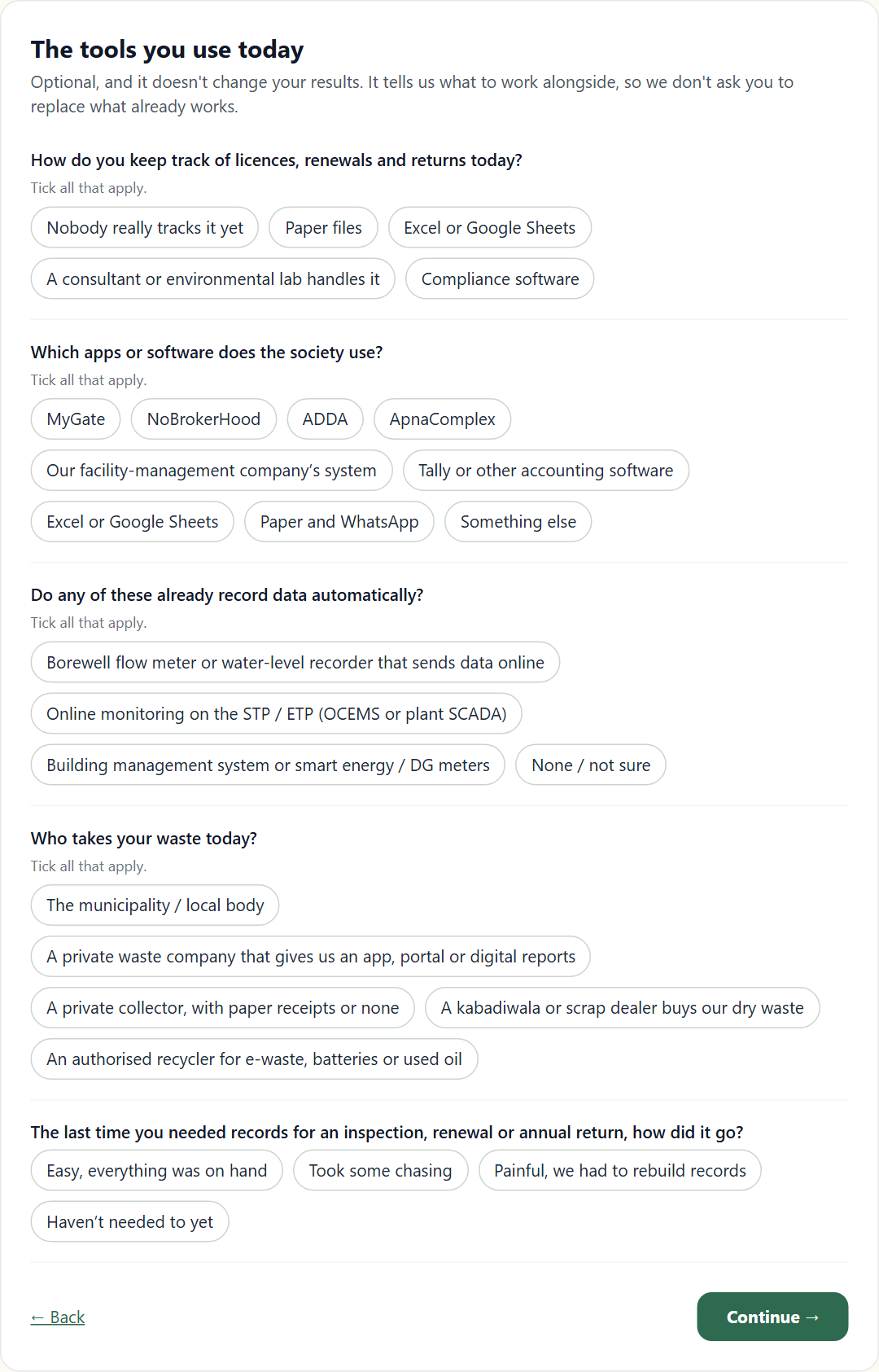
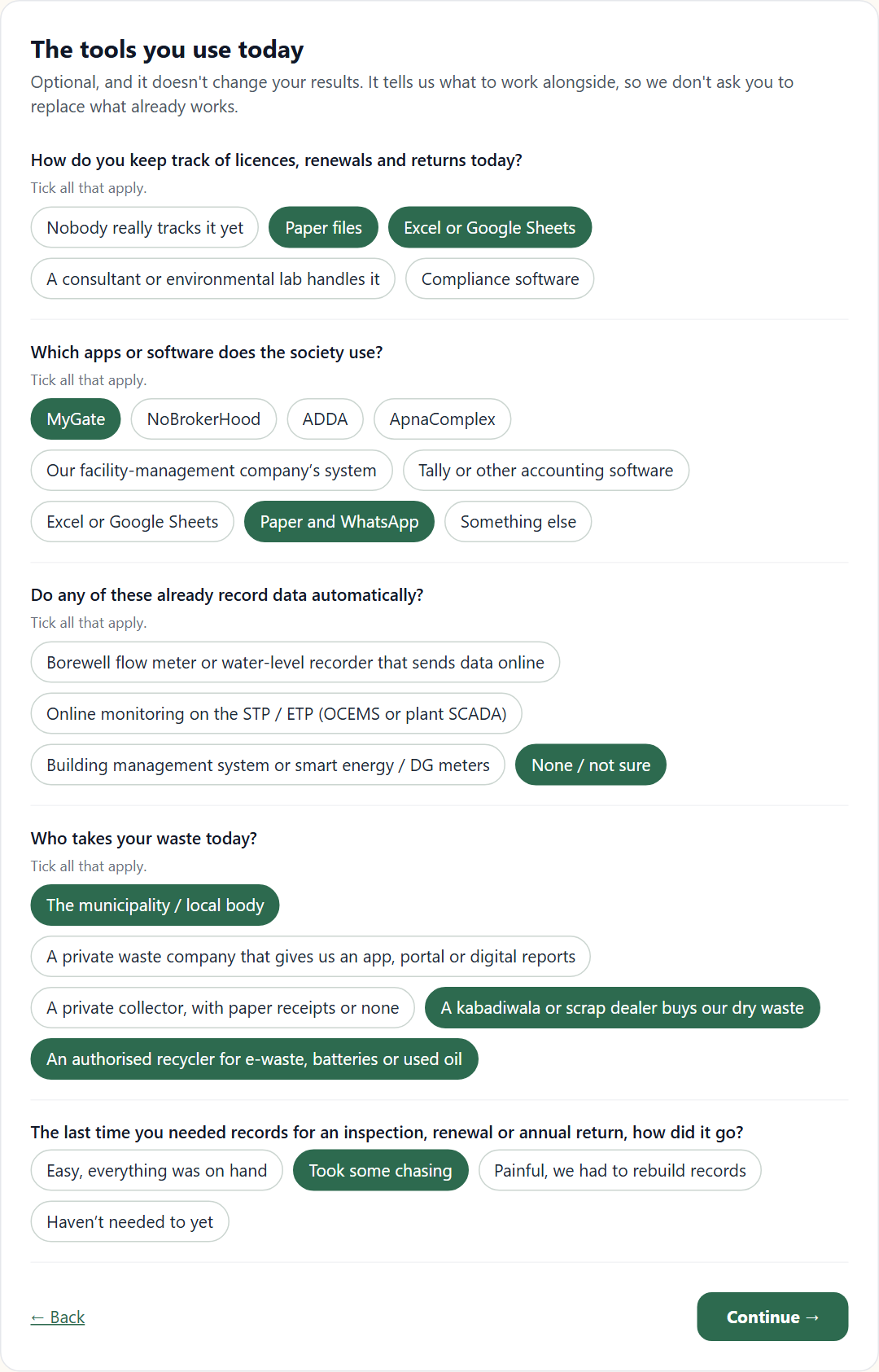
This screen is optional and does not change your results. It asks how you keep track of licences and returns today, which apps or software you use, whether any equipment already records data automatically, who takes your waste, and how it went the last time you needed records for an inspection or a return. It tells us what to work alongside, so that we do not suggest replacing something that already works.
Step 7: where to send the report
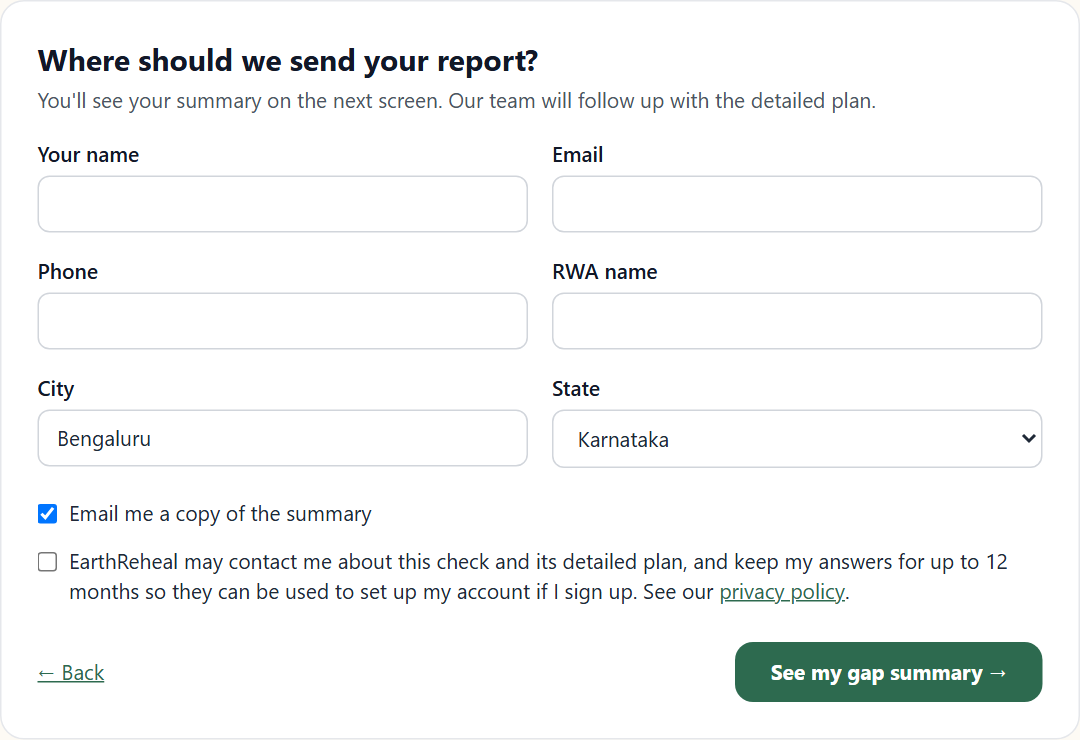
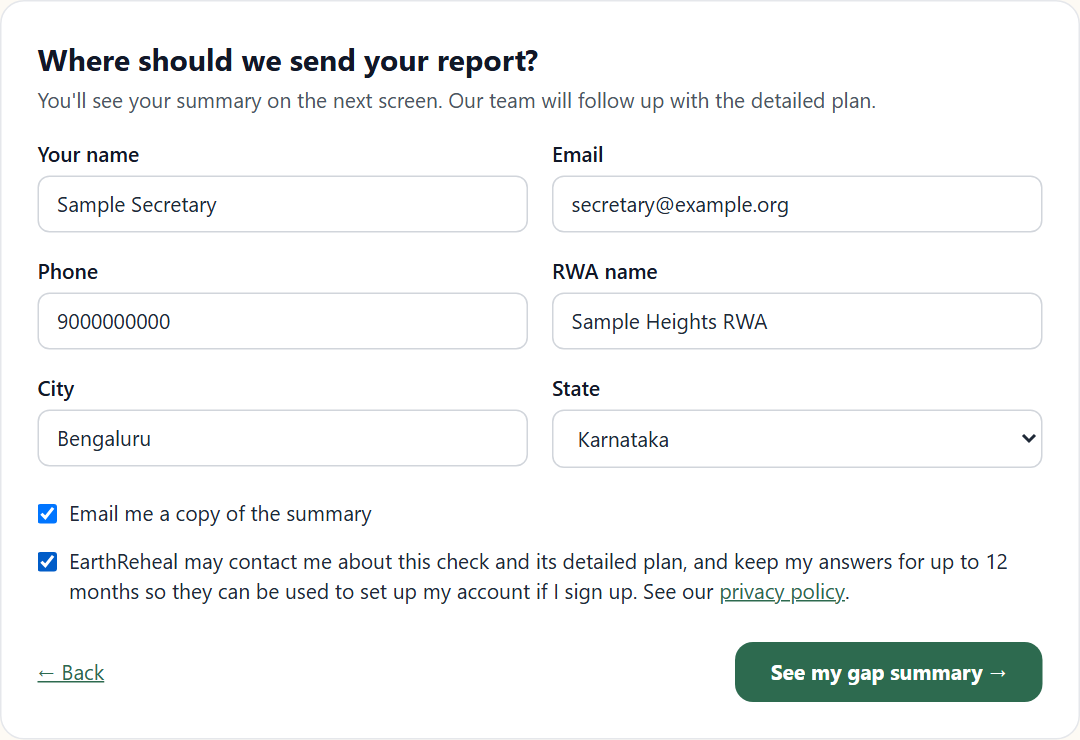
The last screen asks for your name, email, phone, the organisation's name, city and state. Two tick boxes follow: Email me a copy of the summary (optional) and the consent line. The consent says that EarthReheal may contact you about this check and its detailed plan, and keep your answers for up to 12 months so they can be used to set up your account if you sign up. Our privacy policy is linked from the line.
You then see your summary on the next screen straight away. You do not wait for an email.
Reading your report
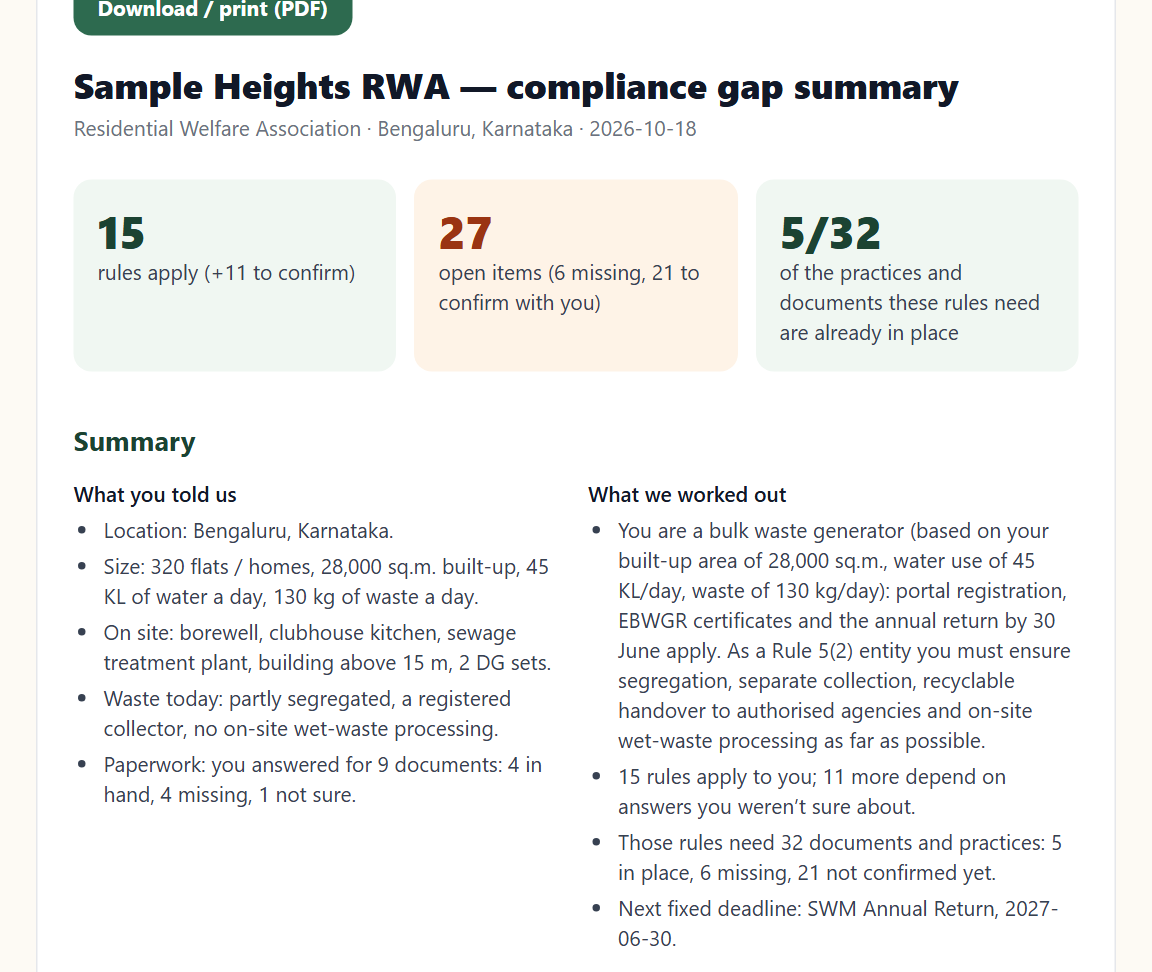
The report opens with three numbers and a short summary. For Sample Heights RWA it worked out that:
- the society is a bulk waste generator, based on the area, water and waste figures entered, so portal registration, EBWGR certificates and the annual return by 30 June apply;
- as a Rule 5(2) entity, an RWA must ensure segregation, separate collection, handover of recyclables to authorised agencies and on-site wet-waste processing as far as possible, whether or not it is a bulk waste generator;
- 15 rules apply, and 11 more depend on answers that were "Not sure".
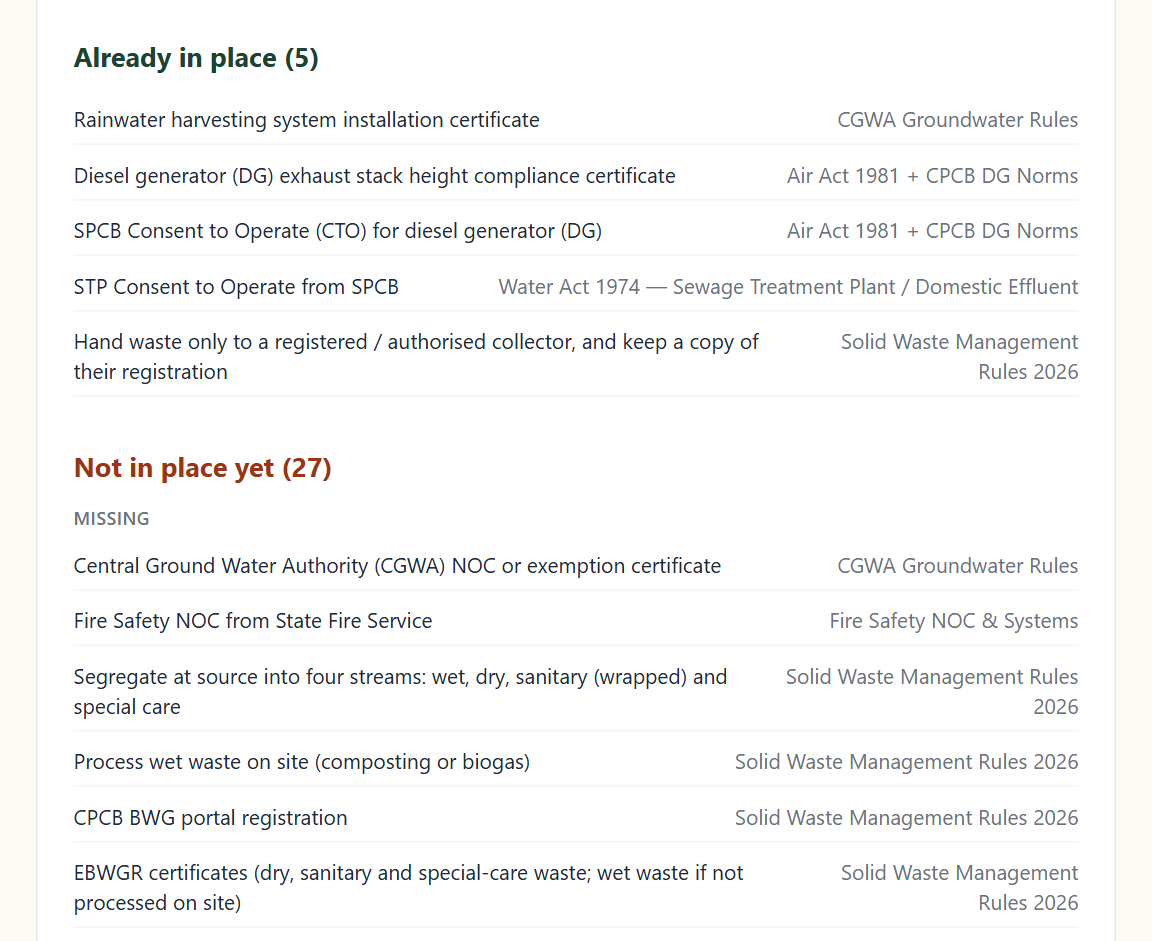
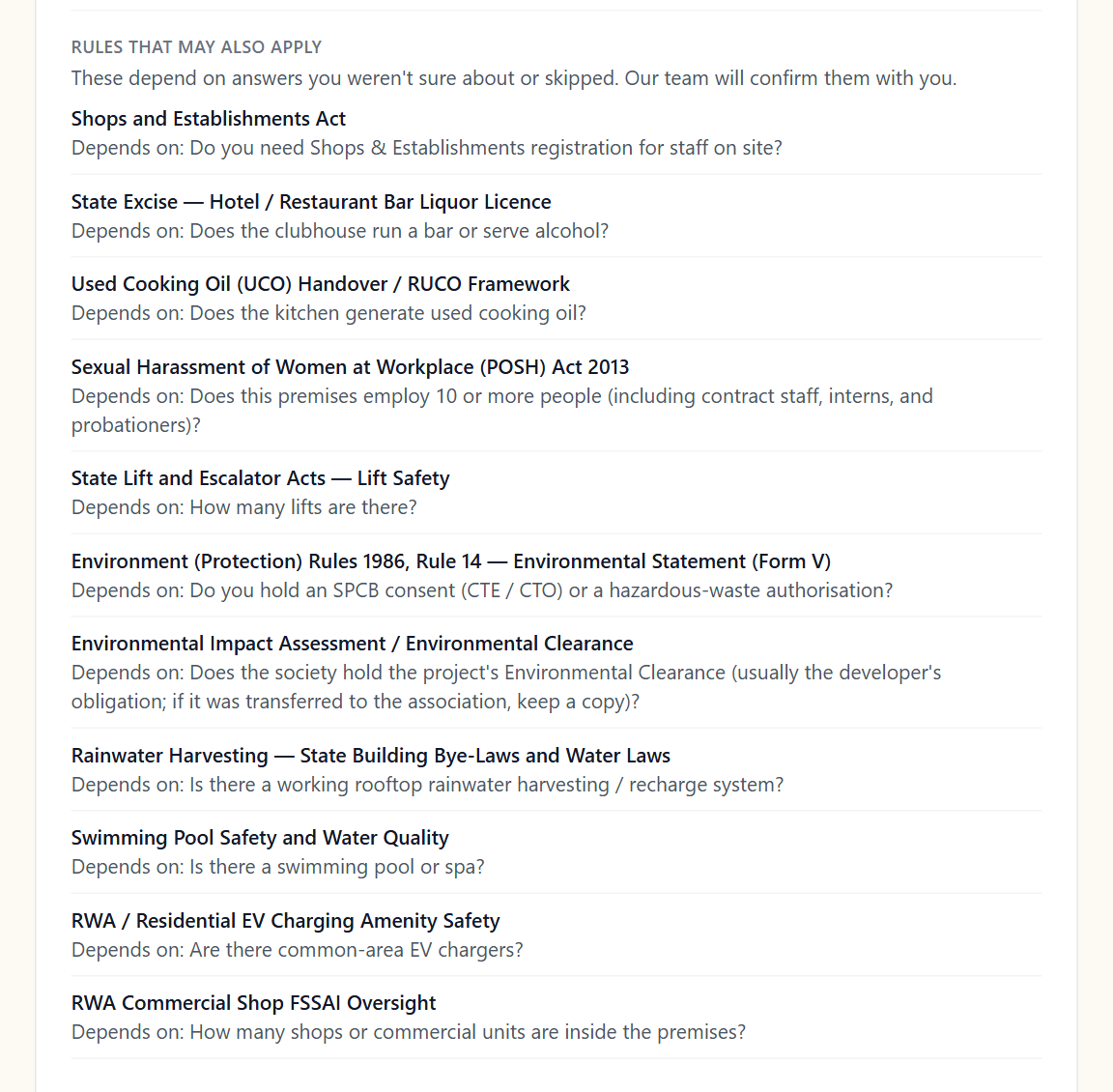
Further down, the report splits every item into three groups: Already in place, Not in place yet (split into missing because you said you do not have it, and not sure because you did not know), and Rules that may also apply, each with the question that decides it.
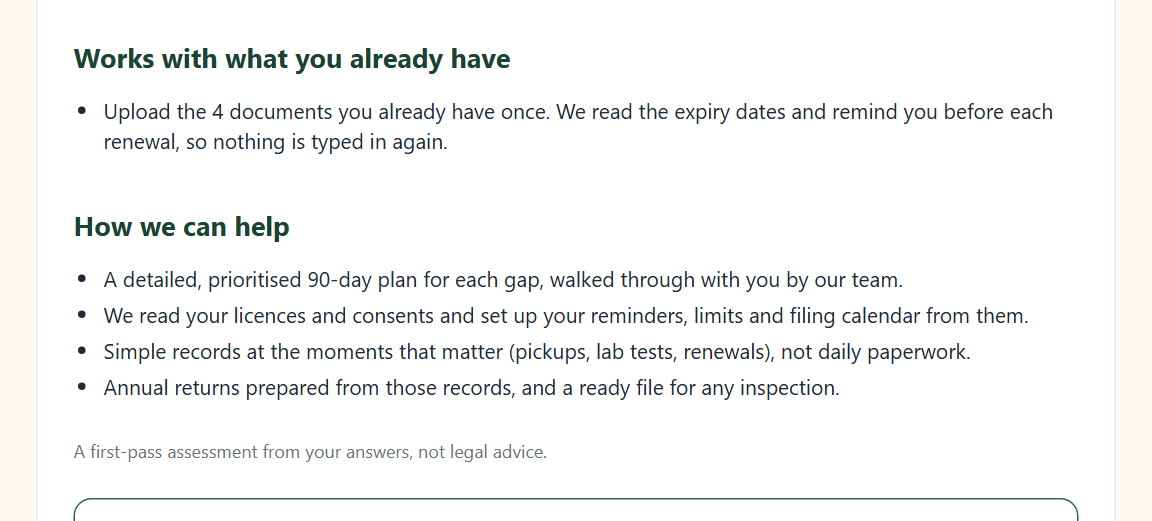
The report ends with what you can do next. You can download or print it as a PDF at the top of the page.
What to do with the report
You have three options, and none of them is required.
Option 1: Start free
For most organisation types the report offers Start free. It sets up a free EarthReheal account for your organisation from the answers you just gave, so there is nothing to fill in again.
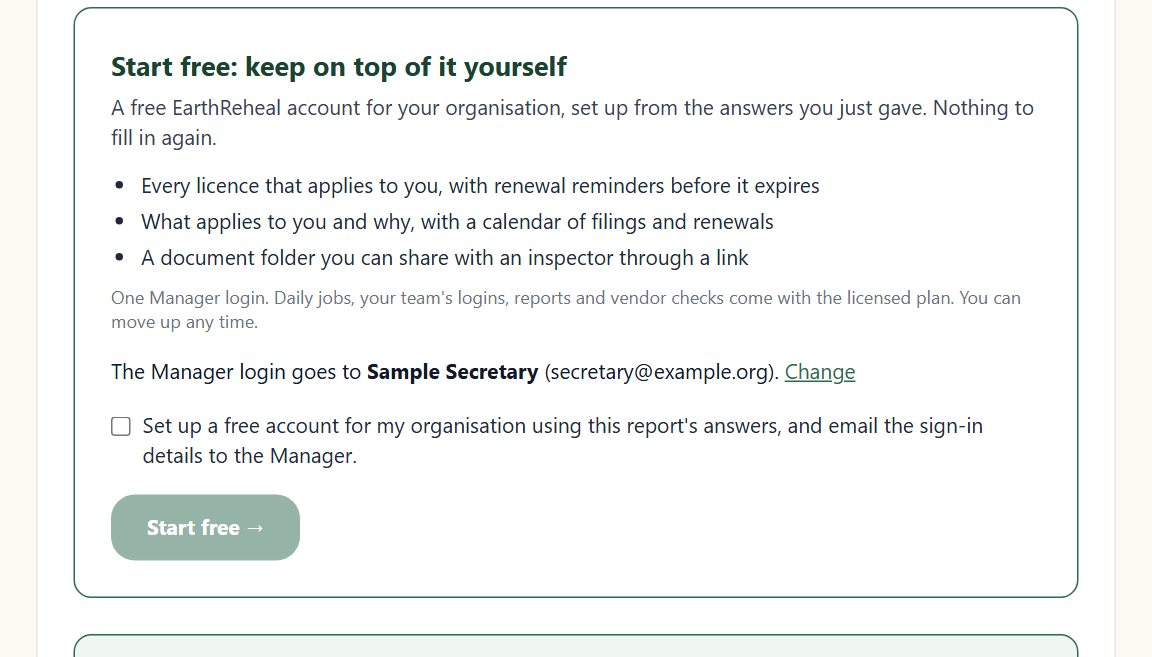
How it works:
- Check the name, email and phone shown for the Manager login. Use Change if it should go to someone else.
- Tick the confirmation box and choose Start free.
- Our team checks each request before the account is created, usually within one working day, so that every account belongs to a real organisation and the login goes to the right person.
- The Manager then gets an email with the sign-in details for the EarthReheal mobile app (Android or iPhone), where the free plan runs. Your answers from the check are already in the account.
- If the email already signs in to EarthReheal, no second account is created. Sign in with that email instead.
The free plan has no charge, asks for no payment details and does not expire. It includes:
- every licence that applies to you, with its status and reminders before it expires, where an expiry date is recorded;
- what applies to you and why, with a calendar of filings and renewals;
- a document folder, which you can share with an inspector or auditor through a link that expires and that you can withdraw.
It has one Manager login. Daily jobs, your team's logins, the web dashboard, reports and vendor checks come with the licensed plan, and you can move up whenever you like. See the free plan for the full list and the questions people ask about it.
Option 2: ask for a call back
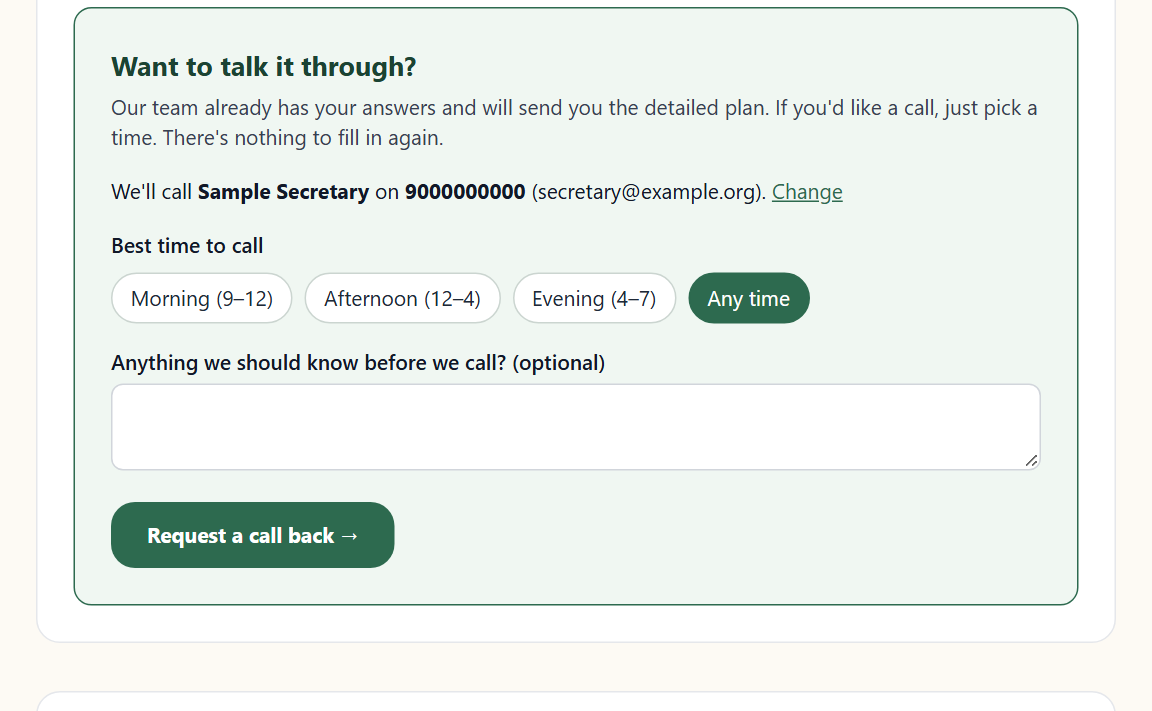
Below the Start free panel is a short form to ask our team to call you. Pick a time of day (morning, afternoon, evening or any time) and add a note if you like. Nothing is charged and nothing is sent without you pressing the button.
Option 3: just use the report
You can print the report, share it with your committee or team, and work through the list yourself. The check is free whether or not you do anything else.
The licensed plan
If you want your team to record the daily work, there is the full product. It comes with a 30-day free trial (90 days for material recovery centres and municipalities). Your staff complete their daily tasks in the app with a photograph, supervisors and managers review and approve, and the web dashboard and reports come with it. Pricing is set per organisation type and size; our team follows up with a quote after the check. Ask for a trial from the report, or contact us.
What the check is not
- It is not legal advice or a certificate of compliance. It gives you an organised picture of where you stand, and you should confirm against the notified rule text and with your local body or State Pollution Control Board.
- EarthReheal is not a government body, and it does not file on the CPCB portal on your behalf. The portal is where registrations are made and returns are filed; EarthReheal is where the daily work behind them is recorded.
- No product can guarantee a regulatory outcome, and we do not.
Common questions
Does it cost anything? No. The check and the free plan are free.
Do I need to sign up to see my gaps? No. You see your report as soon as you submit. You only create an account if you choose Start free.
How long does it take? About five minutes.
What if I do not know my numbers? Answer "Not sure", or give a rough figure where the screen says a rough figure is fine. Those items come back in the report as things to confirm.
Is my organisation type covered? The check covers more than fifty types. Pick yours on the compliance page. For landfills and municipalities there is no self-serve check; talk to us instead.
Can I run it for several sites? Yes, one run per premises. Consents and licences are issued to premises, so each premises is its own organisation.
Run it now
Pick your organisation type at earthreheal.com/compliance. If you are not sure whether the SWM Rules 2026 make you a bulk waste generator, start with the bulk waste generator guide, then run the check.
Sources
- Solid Waste Management Rules, 2026 (S.O. 388(E), Gazette of India Extraordinary, 28 January 2026) — Ministry of Environment, Forest and Climate Change
- Centralised Online Portal for Solid Waste Management — Central Pollution Control Board
Start capturing compliance evidence this week
EarthReheal WasteLedger is ready for your organisation now. Start a free trial and onboard your team, or book a walkthrough first if you would like to see it with your own rules.